Call Block: Filter and Blocker
- 4.2
- Rating
- 5.00M
- Installs
- Free
- Price

 Analysis by App-foxy
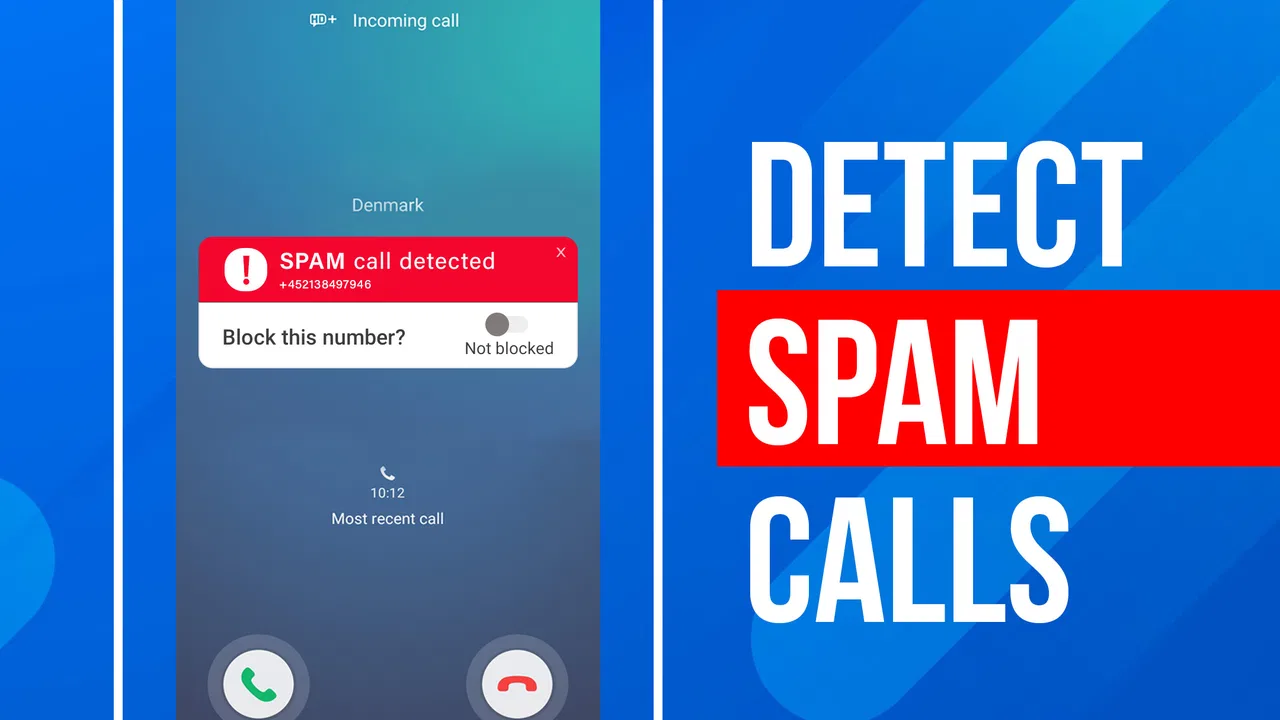
I tried Call Block: Filter and Blocker as a practical communication app rather than treating it like a magic shield against every unwanted call. Its purpose is straightforward: help identify unfamiliar callers and stop spam, fraud attempts, and robocalls before they become a daily interruption. That focus makes it appealing if your phone regularly rings with numbers you do not recognize, but the real value depends on how carefully you set it up and how you handle legitimate callers who are not already familiar to you.
The app comes from Appsbuyout and is available for free, with optional in-app purchases ranging from $0.49 to $14.99 per item. It is rated for Everyone, which fits the simple, utility-first design. The app has been around since Jul 21, 2016, and its current version is 2.6.0.2194, requiring at least OS 10. That long presence, together with a 4.3 average from around 18 thousand ratings and more than 5 million installs, suggests that it has found a steady audience among people who want a dedicated call-screening tool rather than a full messaging platform.
How I use it in a normal week
My baseline workflow starts with a short setup session, not with immediately blocking everything unfamiliar. I first decide what kind of calls I still need to receive. If I am expecting a delivery, a medical office, a school, or a new client, automatically rejecting every unknown number would be a poor choice. In that situation, I prefer using the app as a filter and checking the caller information before deciding whether a number deserves permanent blocking.
You May Also Like

 Blood Strike: 2.5 Anniversary
Blood Strike’s Loadouts Turn Every Drop Into a Tactical Gamble
A close look at Blood Strike’s custom loadouts: how fast access to signature weapons reshapes its battle royale rhythm, rewards preparation, and narrows the gap between fights.

 Pandora - Music & Podcasts
Pandora’s Music Is Easy to Start, but Harder to Recover
Pandora’s strength is its low-effort path from a seed to a station. Its weak spot is how much confidence it asks you to place in connection, setup, and quiet recovery.

 8 Ball Pool
 Is Built on Rivalries, Rematches, and Routine
A close look at the rivalries, rematches, shared routines, and unanswered safety questions that turn a quick pool match into a persistent mobile community.

 Samsung Music
’s Quiet Strength Is Playing What You Already Own
Its reach comes less from spectacle than from dependable access to a personal library. That simplicity is both the app’s strongest retention engine and its ceiling.

 AccuWeather: Weather Radar
AccuWeather Review: A Quick, Clear Forecast for Everyday Decisions
For everyday plans, the best forecast is the one you can understand quickly. AccuWeather makes rain timing, radar, and local conditions easy to act on, with a few trade-offs.

 Hill Climb Racing
Why Hill Climb Racing Still Turns Crashes Into One More Run
A tiny car, a bumpy hill and one more upgrade: Hill Climb Racing keeps resurfacing because its simple chaos makes every near-miss feel personal.
More From Our News Desk



For a quieter personal phone, the opposite approach can make sense. If nearly every unrecognized call is a sales pitch or an automated message, a stricter blocking routine saves time. The important point is that the app works best when its behavior matches your schedule. A freelancer waiting for new customers needs more flexibility than someone using a phone mainly for family and existing contacts.
I also found it useful to separate one-off annoyance from a repeat problem. A single suspicious caller does not always justify changing a broad rule. A number that keeps returning, especially with automated behavior, is a better candidate for blocking. This habit prevents the common mistake of making the whole phone unreachable simply because a few unwanted calls arrived in one afternoon.
The identification side is useful before answering. When a number is unfamiliar, I can pause and consider whether the call makes sense instead of reacting to the ringing. That small delay matters. It reduces the chance of giving time to a robocall and also helps me avoid calling back a number that may be associated with fraud. I still treat identification as a clue, not as absolute proof of who is calling.
A realistic example is a busy workday when several calls arrive while I am helping customers. Rather than answering each interruption, I let the app help distinguish a potentially unwanted call from something worth checking. Later, I review the calls I missed and decide whether to return them. This approach is less disruptive than answering everything, but safer than blindly rejecting every unfamiliar number.
What the first setup should accomplish
The first goal is not to create the most aggressive blocklist. It is to create a predictable routine. I would begin by checking how the app presents unknown callers and what action it takes when a number is considered suspicious. Then I would test the workflow with a harmless call from a number I recognize but do not normally use, such as a secondary phone. This gives a clearer idea of what the experience feels like before relying on it during an important call.
Keep your own contacts organized as well. A call blocker cannot compensate for a neglected address book if you frequently forget who a number belongs to. Saving regular services, family members, workplaces, and important offices makes the app easier to use because you have a clearer distinction between known contacts and genuinely unknown callers.
The best starting point is a controlled filter, not maximum blocking. Once you understand how the app behaves, you can make the rules more restrictive without guessing what may be lost. That is particularly important for older users, people waiting for appointments, and anyone whose work depends on calls from new numbers.
Settings I would check before trusting the filter
The settings deserve more attention than they might receive in a quick installation. I would look first at the difference between identifying a call and blocking it. Those are not the same decision. Identification gives context; blocking removes the interruption. If the app offers both choices in its workflow, I would use the less aggressive option until I had enough experience with the results.
I would also examine how blocked calls are represented afterward. A useful routine is knowing whether you can recognize that a call was stopped, because that helps you notice patterns. If the same number or type of caller keeps appearing, you can adjust your habits instead of wondering whether the phone failed to ring or the caller never tried.
Another setting worth checking is how the app handles numbers that are not in your contacts. Unknown does not automatically mean dangerous. A local contractor, a courier, a school administrator, or a new healthcare provider may all call from a number you have never saved. For those situations, I prefer a workflow that lets me review the information and decide, rather than one that treats every unfamiliar number as disposable.
Privacy and interruption preferences are also part of the practical setup. A call-blocking app needs access to relevant call information to perform its main job, so I would read the permission prompts carefully and avoid enabling anything unrelated to the way I intend to use it. I would also check whether its alerts are helpful or noisy. If every blocked event creates a distracting notification, the cure can become another source of interruption.
The optional purchases are another reason to inspect the app calmly. The basic app is free, while individual in-app items can cost from $0.49 to $14.99. I would use the free experience first and only pay for something after identifying a specific problem it solves. That is better than buying an upgrade simply because a call blocker sounds more effective when every option is enabled.
Small habits that make it faster
Experienced use is less about constantly opening the app and more about creating repeatable decisions. When a suspicious call arrives, I use the same sequence: look at the information, avoid calling back immediately, decide whether the number is a one-time nuisance or a repeat offender, and then block it if the pattern justifies that choice. Consistency makes the app feel faster because I am not reconsidering the entire setup every time.
A second useful habit is reviewing blocked activity at a convenient time instead of during a meeting or while driving. This turns the app into a quiet background tool. I can notice whether a legitimate call was caught, whether a particular number keeps returning, and whether my blocking rules are too strict. The review also gives me a chance to add important numbers to my contacts before they become an issue.
I would create a temporary “looser” period when I am expecting calls from people I do not know. For example, after submitting a job application or arranging a service appointment, I would avoid tightening the filter until that window has passed. Once the expected calls are over, I can return to a stricter routine. This simple calendar-based habit is more useful than leaving one aggressive setting active all year.
For people who receive many calls, another practical pattern is to treat the phone number as only one part of the decision. Timing, repeated attempts, and whether the caller leaves a meaningful message all matter. A number that calls several times with no useful follow-up deserves more suspicion than a new number that calls once during business hours and leaves clear information. The app can support that judgement, but it cannot replace it.
I also recommend keeping a short mental list of numbers that must never be blocked. Family members using temporary phones, a workplace switchboard, a doctor’s office, or a building manager may all appear unfamiliar. Saving them when possible prevents a future mistake. This is one of the less obvious trade-offs of call filtering: reducing noise requires better contact maintenance.
Where it helps more than ordinary phone controls
The usual phone app already gives many people basic blocking tools, but those controls often make you handle each unwanted number separately. Call Block: Filter and Blocker is more useful when you want a dedicated place for identifying unfamiliar callers and managing spam-related decisions. Instead of waiting for repeated annoyance before taking action, you can build a more deliberate screening routine.
It is also more focused than a general communications app. You are not installing it to send messages, organize conversations, or replace your dialer. That narrow purpose is a strength for someone who wants call control without learning a large ecosystem. The trade-off is that it may feel unnecessary if your phone already handles unknown callers well and you rarely receive spam.
Compared with simply ignoring calls, the app gives you a way to make the decision more informed. Ignoring everything protects your attention but can hide an important call. Answering everything provides maximum availability but exposes you to more interruptions and questionable callers. The middle path—identify, assess, then block selectively—is where this app makes the most sense.
It is not a substitute for caution, either. Caller information can be misleading, and a familiar-looking number should not automatically earn trust. I would never share sensitive information merely because the app presents a caller as recognizable. For financial, account, or identity-related requests, I would end the call and contact the organization through a trusted channel.
Limits that become clearer with heavier use
The biggest limitation is the unavoidable balance between silence and availability. The stricter the filter, the greater the chance that a legitimate new caller will be delayed or blocked. No call-identification tool can know your personal plans, recent appointments, or which unfamiliar number belongs to someone you genuinely need to reach.
There is also a human maintenance cost. The app can help organize unwanted calls, but you still need to review mistakes, keep contacts current, and adjust your approach when your circumstances change. Someone who installs it once and never checks anything may get less value than someone who spends a few minutes refining the routine.
Another limitation is that blocking numbers one by one may not solve every spam campaign. Unwanted callers can use different numbers, so a single blocked entry may only remove one symptom. That is why I prefer combining the app with sensible phone habits: do not return suspicious calls, do not confirm personal details, and use official contact methods for important organizations.
People who need a complete communication suite may also find this app too narrow. It is designed around calls, not around a unified inbox or broader contact management. Likewise, if you need highly specialized enterprise call routing, detailed business analytics, or complex team controls, a dedicated business telephone service may be a better fit than a consumer-focused blocker.
Compatibility matters before installation. The app requires at least OS 10, so I would check the operating system on an older phone first. For supported devices, the current version is 2.6.0.2194. Keeping the app and the phone system current is sensible for any utility that interacts with incoming calls, although I would still test important contacts after a major change in settings.
Who should use it, and who should skip it
I would recommend it to people who receive frequent spam, robocalls, or suspicious calls and want more control than the basic phone app provides. It is especially practical for users who prefer a simple, focused tool and are willing to spend a little time deciding how strict the filter should be. The free entry point makes it easy to try before deciding whether optional purchases are worthwhile.
It is also a good match for a family member who is vulnerable to repeated scam calls, provided someone helps establish safe contacts and explains that identification is not the same as trust. A clear routine—do not answer questionable requests, do not call back impulsively, and ask a trusted person when uncertain—matters as much as the app itself.
I would skip it if your phone already blocks unwanted calls effectively, if you almost never receive unknown numbers, or if missing any new caller would be more damaging than dealing with occasional spam. I would also look elsewhere if you need advanced business call management rather than personal call screening.
My final routine after using it
After testing the app, I see its strongest role as a practical layer between the ringing phone and my attention. I would keep identification available, block repeat offenders, review unusual activity later, and loosen the rules whenever I am expecting an important unknown caller. That combination is more reliable than choosing one extreme setting and forgetting about it.
Appsbuyout has kept the product focused on a common annoyance: deciding what to do with calls that do not belong to anyone in your contacts. It is not flawless, and it cannot guarantee that every unwanted call disappears or that every identified caller is safe. Still, its focused design, free starting point, Everyone rating, and established user base make it a reasonable option for supported devices.
My recommendation is positive, with one condition: use it as a decision aid, not as permission to stop thinking. If you build a contact list, check the important settings, review blocked activity, and adjust the filter around real-life events, it can make a noisy phone noticeably easier to manage. If you want a completely hands-off system or already have excellent built-in controls, the extra app may not justify the added setup.
FAQs for Call Block: Filter and Blocker
01How does Call Block: Filter and Blocker work?
Call Block: Filter and Blocker uses an advanced algorithm to identify and block unwanted calls. It filters spam and robocalls by analyzing the caller ID and cross-referencing it with a comprehensive database of known spam numbers. You can also manually add numbers to your block list for a more personalized experience.
02Is Call Block: Filter and Blocker free to use?
The app offers a free version with basic features that include blocking and filtering capabilities. For more advanced options such as customizable block lists and detailed call statistics, a premium subscription is available. Pricing details can be found within the app under the subscription section.
03Does the app affect the phone's battery life?
Call Block: Filter and Blocker is designed to be efficient and has minimal impact on battery life. It runs in the background without consuming significant resources. The app's developers have optimized it to ensure it operates smoothly without draining your phone's battery.
04Can I customize the call blocking settings?
Yes, you can customize the call blocking settings to suit your needs. The app allows you to create personalized block lists, set up rules for specific numbers or regions, and even choose to block unknown or private numbers. These settings can be adjusted at any time through the app's user-friendly interface.
05Will it block important calls by mistake?
Call Block: Filter and Blocker is designed to minimize the risk of blocking important calls. The app uses a sophisticated filtering system to differentiate between spam and legitimate calls. If a call is blocked by mistake, you can easily review and adjust your block list, ensuring essential contacts are never missed.
Pros
- Easy-to-use interface for quick setup.
- Customizable blocking settings.
- Low battery consumption.
- Regular updates improve functionality.
- Supports multiple languages.
Cons
- Limited free features
- premium needed.
- Occasional false positives in blocking.
- Ads can be intrusive at times.
- No integration with some messaging apps.
- Limited customer support options.

Call Block: Filter and Blocker
Gallery